Activate LTE service for your Samsung Galaxy Watch
Samsung has Bluetooth and LTE compatible Galaxy Watch! The LTE version can receive calls and messages without being connected to a phone. However, you'll first need to activate service for your watch through the same carrier as your mobile phone.

When you connect your watch to your phone for the first time, you'll see prompts to activate your carrier's service on the watch. Once you've done that, you'll need to finish the activation process.
Note: Your watch must be paired with a phone to activate service.
1. On your phone, navigate to and open the Galaxy Wearable app, and then tap Watch settings.
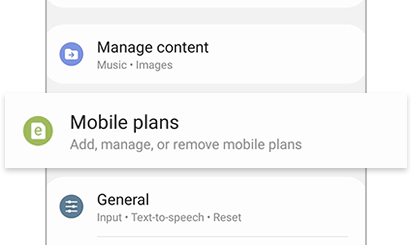
2. Tap Mobile plans; the app will begin scanning for an eligible LTE network.
3. Next, follow the prompts to complete the activation. Your phone needs to have a SIM card inserted.
If the watch was set up without a phone, you can still activate service for the watch using the watch itself.
If you're unable to activate service for your watch or if it has been repaired and no longer connects to your carrier's network, you'll need to contact them, provide the watch's unique identifier number (EID, IMEI, or ICCID), and confirm you have the correct service plan.
1. For the watch´s unique identifier number, navigate to and ope Settings.
2. Swipe to and tap About watch.
3. Tap Device.

The numbers can also be located within the Galaxy Wearable app under Watch settings or Home tab > About watch > Device. The avaliability of EID or ICCID numbers may vary based on the model or activation status.


Service Centers


Locate the nearest Samsung service center to have your product checked.
Thank you for your feedback!
Please answer all questions.
Contact Info
WhatsApp
![WhatsApp]()
![WhatsApp]()


Monday to Sunday
8:00 a.m. a 12:00 a.m.
LiveChat
![LiveChat]()
![LiveChat]()


Monday to Sunday
8:00 a.m. a 12:00 a.m.
Online
Call
Costa Rica: 00-800-1-726-7864
Ecuador: 1-800-72-6786
El Salvador: 800-0726-7864
Guatemala: 1-800-299-0033
Call
Honduras: 800-2791-9111
Jamaica: 1-800-726-7864
Nicaragua: 001-800-5077267
Panama: 800-0101
Call
Puerto Rico: 1-800-682-3180
Trinidad and Tobago: 1-800-726-7864
Venezuela: 0-800-100-5303
Dominican Republic: 1-800-751-2676