A device I’ve sold or handed in is still visible on SmartThings Find
Last Update date : Mar 21. 2026
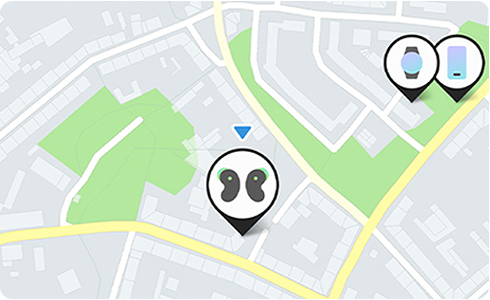
You can sign into the SmartThings and add or delete any device registered.
Deleting a device you no longer own
1
Open SmartThings and select SmartThings Find.
2
Select the device you wish to delete, then use the link below to go to the SmartThings Find site.
3
Select the More button in the top right corner and delete the device.
![Screen to select the device to delete, then click the map.]()
![Screen to select the device to delete, then click the map.]()
![Screen to use link at the bottom to go to the “Find My Mobile” site.]()
![Screen to use link at the bottom to go to the “Find My Mobile” site.]()
![Click “More” in the top right corner in the SmartThings Find.]()
![Click “More” in the top right corner in the SmartThings Find.]()
![Tap “Remove” in the SmartThings Find.]()
![Tap “Remove” in the SmartThings Find.]()


Step 1. Tap the device you want to delete, then click the device.


Step 2. Click the Find My Mobile link at the bottom of the screen.


Step 3. Tap ⋮ symbol in the top right of the screen.


Step 4. Tap Remove.

Thank you for your feedback!
Please answer all questions.
Contact Info
WhatsApp
![WhatsApp]()
![WhatsApp]()


Help you is now easier through our official WhatsApp channel.
Monday to Sunday
8:00 a.m. a 12:00 a.m.
Monday to Sunday
8:00 a.m. a 12:00 a.m.
LiveChat
![LiveChat]()
![LiveChat]()


Attention with our expert staff in Samsung products.
Monday to Sunday
8:00 a.m. a 12:00 a.m.
Monday to Sunday
8:00 a.m. a 12:00 a.m.
Online
There are a number of a different ways of contacting us via Live Chat, Email and more
Call
Monday to Friday 7:00 a.m. to 5:00 p.m.
Costa Rica: 00-800-1-726-7864
Ecuador: 1-800-72-6786
El Salvador: 800-0726-7864
Guatemala: 1-800-299-0033
Costa Rica: 00-800-1-726-7864
Ecuador: 1-800-72-6786
El Salvador: 800-0726-7864
Guatemala: 1-800-299-0033
Call
Monday to Friday 7:00 a.m. to 5:00 p.m.
Honduras: 800-2791-9111
Jamaica: 1-800-726-7864
Nicaragua: 001-800-5077267
Panama: 800-0101
Honduras: 800-2791-9111
Jamaica: 1-800-726-7864
Nicaragua: 001-800-5077267
Panama: 800-0101
Call
Monday to Friday 7:00 a.m. to 5:00 p.m.
Puerto Rico: 1-800-682-3180
Trinidad and Tobago: 1-800-726-7864
Venezuela: 0-800-100-5303
Dominican Republic: 1-800-751-2676
Puerto Rico: 1-800-682-3180
Trinidad and Tobago: 1-800-726-7864
Venezuela: 0-800-100-5303
Dominican Republic: 1-800-751-2676
Face to face Support
Whether your product is in warranty or out of warranty, we're here to help.