How to change the Samsung Galaxy Buds3 Pro eartips
Important Note: The information on this page is for Hong Kong products only. Models, sequences or settings will vary depending on location and/or where the product had been purchased. To be redirected to your local support page please click here.
When changing your eartips, make sure you choose eartips that fit your ears and change them properly.
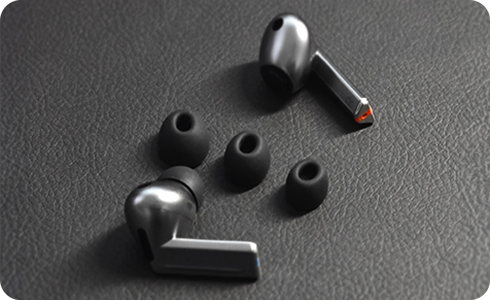
How to change eartips
- Please be careful not to use fingernails when putting on or taking off the eartips since this may cause the eartips to tear.
- Do not forcefully press or twist the eartips as this may cause damage.
- Do not yank off the eartips since this may cause them to tear.
- If an eartip gets caught in the gap on the earbud exterior while attaching, remove and try again.
- Do not wear earbuds without eartips attached since this may cause injury to your ears.
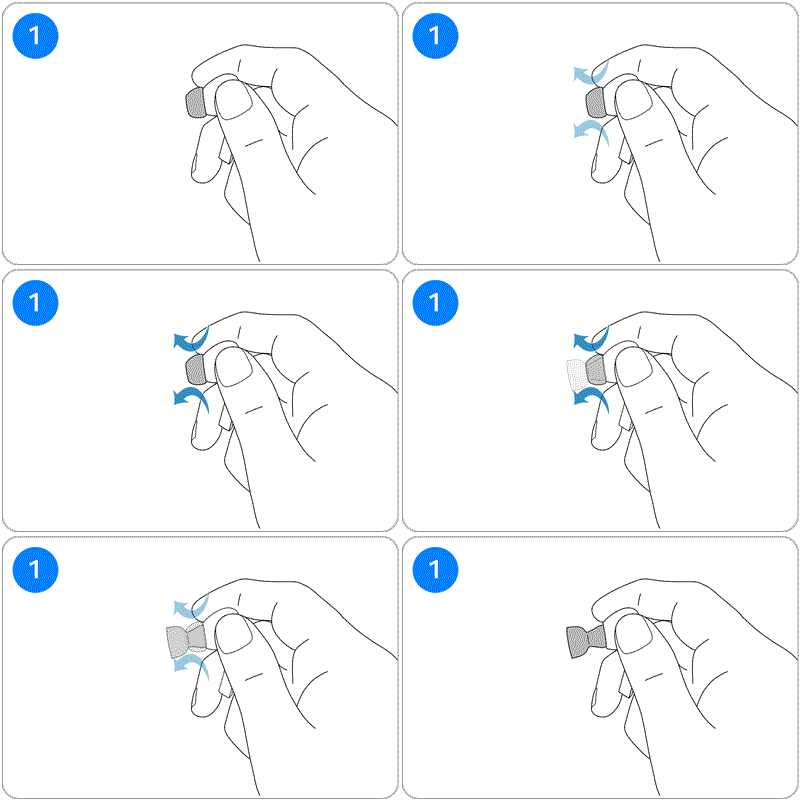
Step 1. Invert the eartip attached to the earbud.
* Hold the main body of the earbud and invert the eartip using your other hand.
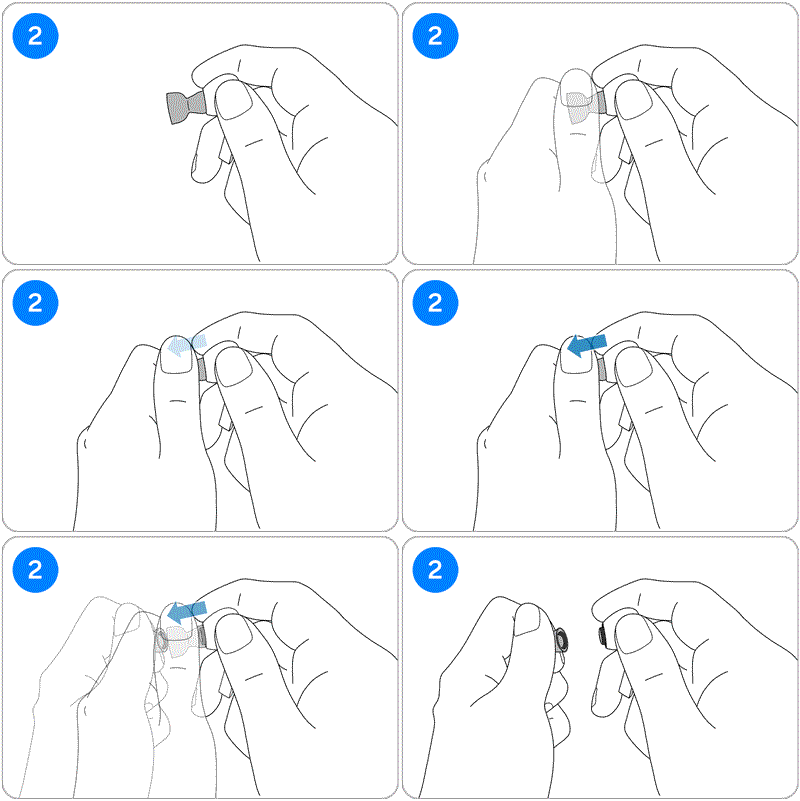
Step 2. Grab the entire eartip and pull it out to detach.
* Be careful not to use your fingernails when grabbing the inverted eartip.
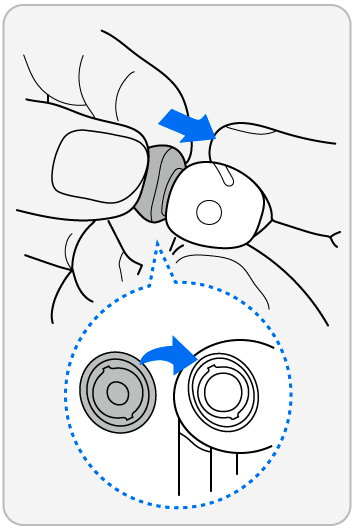
Step 3. Choose an eartip that fits your ears > Align the earbud speaker with the groove on the eartip and push it in until you hear a click.
If the above information does not match what your product is showing, you may check the User Manual for your product. If you are unable to solve the problem, please contact us for further assistance.
Thank you for your feedback!
Please answer all questions.
RC01_Static Content : This text is only displayed on the editor page