What to do if your Galaxy phone gets wet
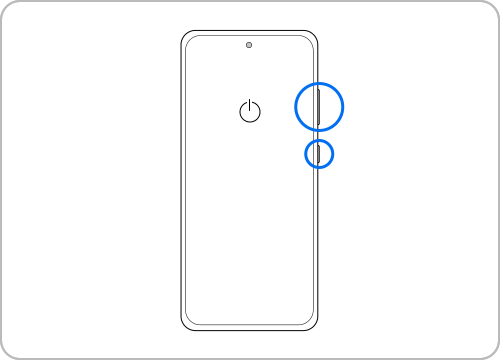
If you accidentally dropped your Samsung Galaxy phone in water, immediate action is critical to minimize potential damage. Water exposure can lead to corrosion, short circuits, or permanent malfunction. Follow these steps to protect your device and improve the chances of recovery.
1. What Should I Do Immediately After Dropping My Samsung Galaxy Phone in Water?
If your Samsung Galaxy phone comes into contact with water, act quickly to prevent further damage:
- Power off your device immediately. Turning off your phone prevents electrical currents from interacting with water, reducing the risk of short circuits or corrosion.
- Remove the battery, if possible. For older models with removable batteries, take out the battery, SIM card, and memory card to minimize water exposure to internal components.
- Dry the exterior gently. Use a soft, absorbent cloth or towel to wipe away visible moisture from the device's surface, ports, and openings.
2. How Do I Remove Moisture from My Samsung Galaxy Phone?
After turning off your device, follow these steps to remove moisture:
- Dry the battery and internal components. If your phone has a removable battery, take it out and dry it separately. Use a clean cloth to wipe the battery, SIM card, and memory card.
- Clean ports and openings. Use a cotton swab to gently remove moisture from the charging port, headphone jack, and other small openings.
- Handle liquid residue carefully. If your phone was exposed to liquids like soda, seawater, or chlorinated water, rinse removable parts with clean water and dry them thoroughly.
3. Why Is It Important to Remove Foreign Debris from My Samsung Galaxy Phone?
- Salts, sugars, or chemicals in liquids can accelerate corrosion on your phone's internal components, leading to permanent damage.
- Rinsing removable parts with clean water helps neutralize harmful residues before they cause further harm.
4. How Should I Air Dry My Samsung Galaxy Phone?
Proper drying is essential to prevent long-term damage:
- Avoid using heat sources. Do not use a hairdryer, oven, or direct sunlight to dry your phone, as excessive heat can warp components or damage the battery.
- Place your phone in a well-ventilated area. Let your device air dry naturally in a shaded, cool place for at least 24–48 hours.
- Use a fan for gentle airflow. A fan can help speed up the drying process without exposing your phone to heat.
5. When Should I Visit a Samsung Service Center?
Even after taking these steps, it's crucial to have your water-damaged phone inspected by a professional:
- Water can remain trapped in internal components, causing delayed damage over time.
- A technician can assess the extent of the damage and perform necessary repairs or replacements.
6. What Is the Waterproof Rating of Samsung Galaxy Devices?
Many Samsung Galaxy phones, including the Galaxy S24, Galaxy Z Fold, and Galaxy A series, have an IP68 rating, which means they are dustproof and waterproof:
- IP68-rated devices can withstand immersion in up to 1.5 meters of water for 30 minutes.
- Exceeding these limits or exposing your phone to pressurized water can result in waterlogging.
7. Supported Samsung Galaxy Devices
These steps apply to most Samsung Galaxy devices, including the Galaxy S24, Galaxy S25, Galaxy S26, Galaxy Z Fold, Galaxy Z Flip, and Galaxy A series. Always refer to your device's User Manual for specific details.
Related Samsung Support Topics

Thank you for your feedback!
Please answer all questions.