How to check washing machine information codes
How to Check Information Codes on My Samsung Washing Machine
If your Samsung washing machine displays an information code, it indicates a specific issue preventing normal operation. These codes help identify problems such as water supply, drainage, spinning, or internal communication errors. Follow the troubleshooting steps below to resolve the issue or determine when to seek professional support.
1. What Is an Information Code?
An information code on your Samsung washing machine is a diagnostic message that helps identify the cause of operational issues. These codes appear on the control panel when the machine encounters a problem during a cycle. Most issues are not mechanical but relate to settings, connections, or minor malfunctions.
2. Frequently Displayed Information Codes and Solutions
2.1 Why Is My Samsung Washing Machine Showing 4C, 4E, or E1?
- These codes indicate that water is not being supplied to the machine.
- Ensure the water taps are fully open.
- Check for clogs in the water hoses.
- Verify that the water taps are not frozen.
- Confirm the washing machine is operating with adequate water pressure.
- Ensure both the cold and hot water taps are properly connected.
- Clean the mesh filter if it is clogged.
Note: All buttons will be disabled for 3 minutes after these codes appear.
2.2 Why Is My Samsung Washing Machine Showing 5C or 5E?
- These codes indicate that water is not draining from the machine.
- Ensure the drain hose is not frozen or clogged.
- Position the drain hose correctly based on your connection type.
- Clean the debris filter if it is clogged.
- Straighten the drain hose to ensure proper flow to the drain system.
If the code persists, contact a Samsung service center.
2.3 Why Is My Samsung Washing Machine Showing dC or dE?
- These codes indicate the washing machine is operating with the door open.
- Ensure the door is properly closed.
- Check that no laundry is caught in the door.
2.4 Why Is My Samsung Washing Machine Showing OC, OE, or OF?
- These codes indicate water has overflowed.
- Restart the machine after spinning.
If the code remains on the display, contact a Samsung service center.
2.5 Why Is My Samsung Washing Machine Showing Ub or UE?
- These codes indicate spinning is not working.
- Ensure laundry is spread out evenly.
- Place the washing machine on a flat, stable surface.
- Redistribute the load if necessary.
If only one item needs washing, a message will appear on the display.
2.6 Why Is My Samsung Washing Machine Showing AC or AE?
- These codes indicate a communication issue between the main and sub Printed Board Assemblies (PBAs).
- Turn the machine off and restart the cycle.
If the code remains, contact a Samsung service center.
2.7 Why Is My Samsung Washing Machine Showing DDC or ddC?
- These codes indicate the Add Door was opened without pressing Start/Pause (Hold to Start).
- Press the Add Door to close it properly, then press and hold Start/Pause (Hold to Start) to resume operation.
- To add laundry, open the Add Door, input laundry, close it properly, and press and hold Start/Pause (Hold to Start).
3. Additional Things to Check
If you encounter an information code not listed above, consult the manual specific to your model number. Note that codes may vary depending on the model.
- The MEMS sensor, which detects imbalance conditions, may not be working properly. Restart the cycle or ensure the add-wash door is closed before restarting.
- Power interruptions or irregular electrical currents (low or high voltage) can trigger codes. Check power supply, plug connections, and plug receptacles.
- Issues with the high-temperature heating system or water level sensor may require restarting the cycle or checking the add-wash door.
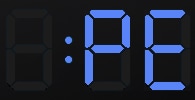
- Codes PC or PE (or PC1, PE1) indicate the clutch position cannot be detected or the signal from the clutch hall is incorrect. Contact a Samsung service center for assistance.
4. Supported Samsung Washing Machine Models
These troubleshooting steps apply to most Samsung washing machines, including models from the Galaxy series, AddWash series, and EcoBubble series. For model-specific details, refer to your user manual.
5. Related Samsung Support Topics
Thank you for your feedback!
Please answer all questions.